PromoEasy: four simple promotion tools
8 October 2026: retained subscription after reinstall — requirement 1.2.2
The former installation-date comparison incorrectly rejected a subscription that Shopify still considered active after reinstall. It has been removed. Every protected request now uses the current Partner API activeSubscription for the authenticated shop and this app, with no positive local cache or browser-parameter bypass.
A contract scheduled to cancel at cycle end retains access until its Shopify-confirmed endTime. Subscription shows the cancellation and expiry rather than claiming it will renew. No duplicate approval or charge is required while Shopify confirms access. A null contract locks the workspace; an expired cancellation also locks it. HTTP, GraphQL, malformed-response and network failures do not grant access.
Test: approve a development-store plan, uninstall and reinstall within its billing cycle, then open the workspace and Subscription. Compare with Shopify's app billing card. Remaining active time must unlock the workspace. With no active contract, declining approval must keep it locked. The app does not create charges or cancel subscriptions itself.
7 October 2026: Horizon storefront visibility — requirement 5.1.2
The theme extension release promoeasy-horizon-popup-2026-10-07 separates theme-editor popup dismissal from real storefront frequency. Closing the popup in the editor no longer suppresses it for the same browser on the storefront. When the popup delay expires in a hidden tab or while another PromoEasy dialog is open, display is deferred until the page is visible and the dialog has closed instead of being lost.
Reproduce on Horizon or another theme with app embeds
- In the installed app, enable Popup campaigns, enter campaign content, set delay to 2 seconds, leave target path empty for all pages, then save. A real storefront dismissal still respects the configured repeat interval.
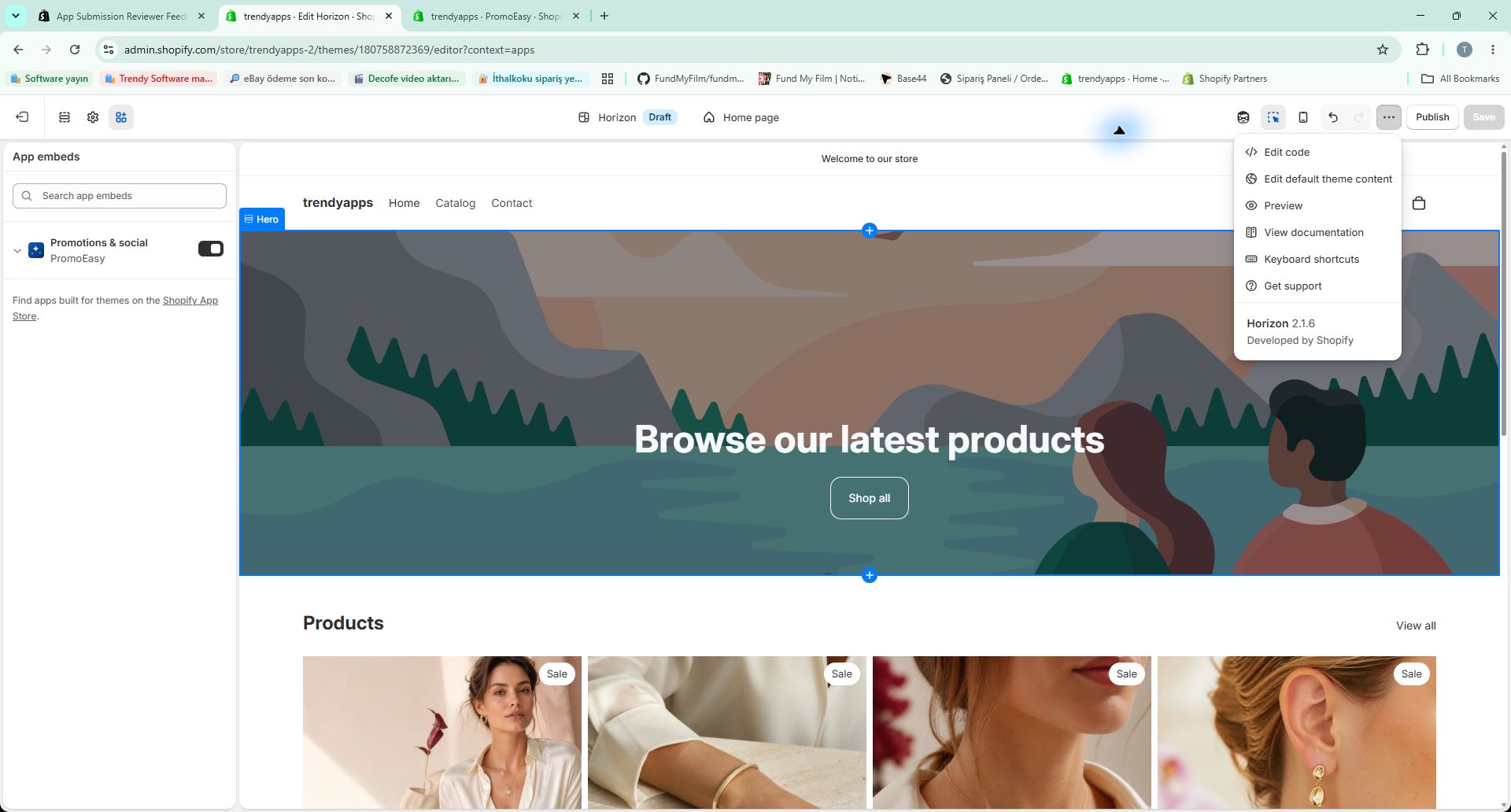
- Open the theme you intend to test. Under App embeds, enable Promotions & social — PromoEasy and click Save. Embed activation is specific to that theme: saving it on one theme does not enable it on another.
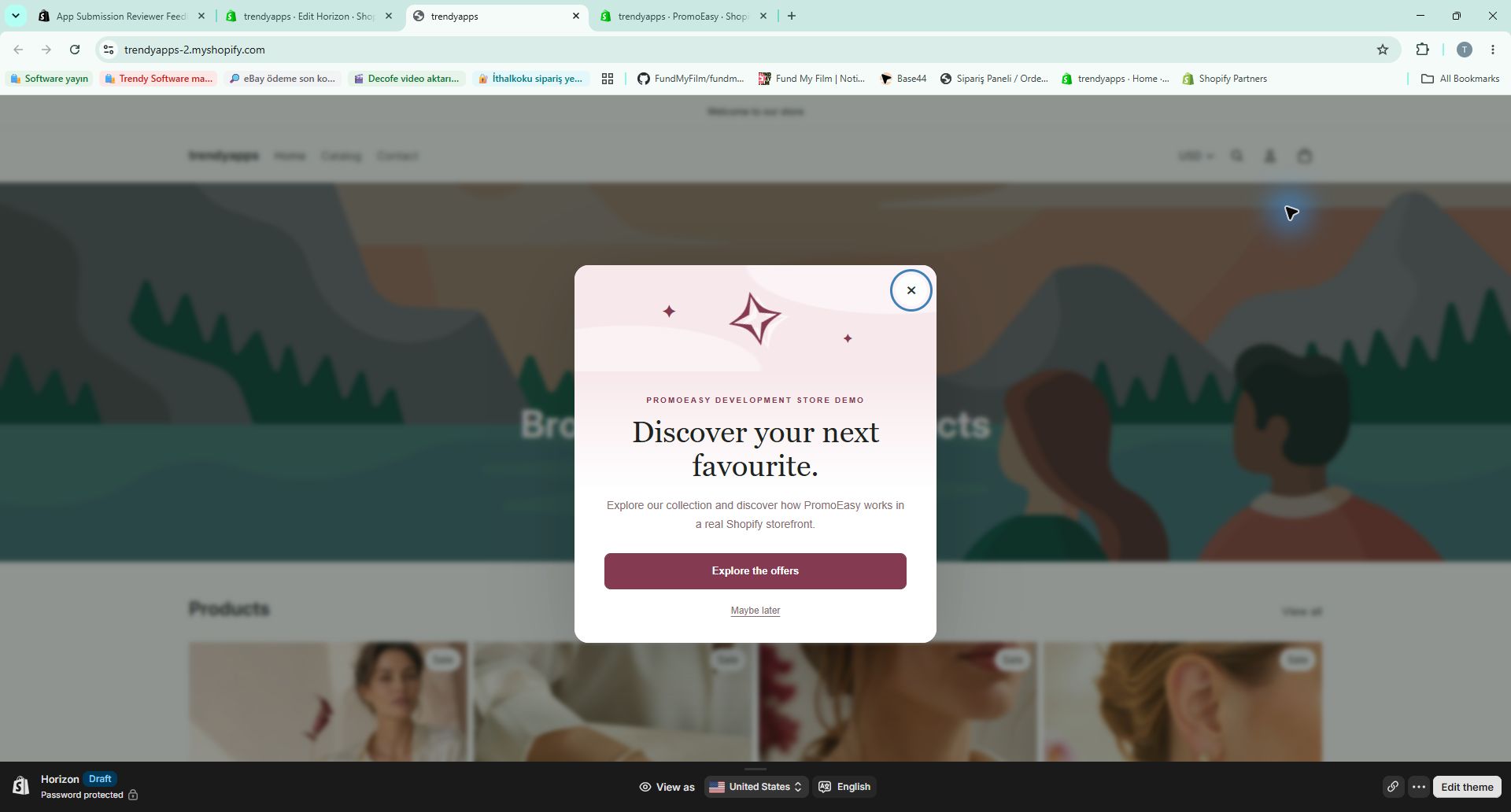
- Close the popup in the theme editor, then use that theme's Preview action to open the storefront outside the editor. Keep the tab visible and wait for the configured delay. If you previously dismissed it on the actual storefront, test with a fresh visitor session or wait for the configured frequency interval.
- For reviews, use an original review CSV or the development-only test kit below, matched to a product in your store. Publish the imported drafts, enable Customer reviews, turn on mobile display and save.
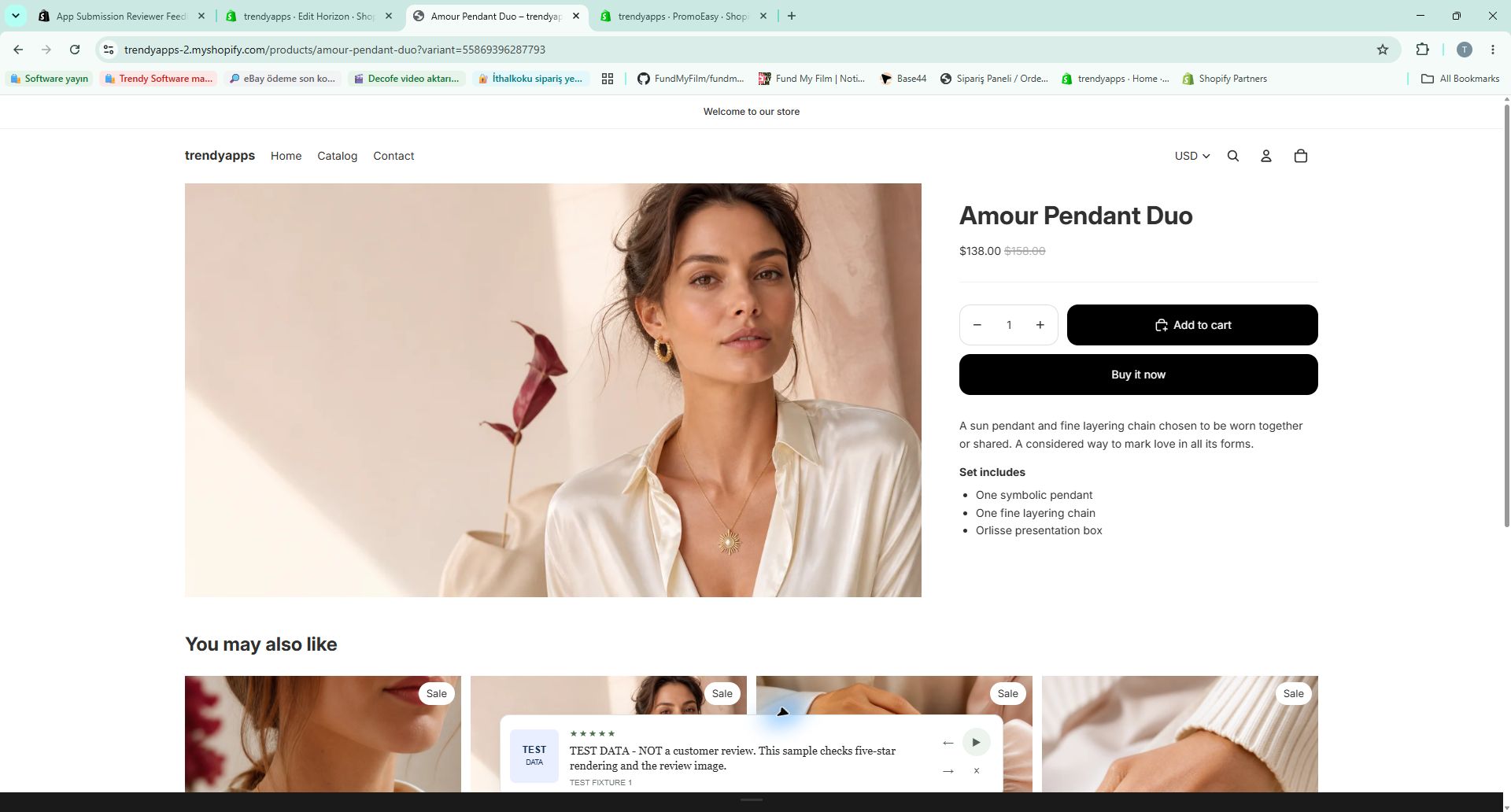
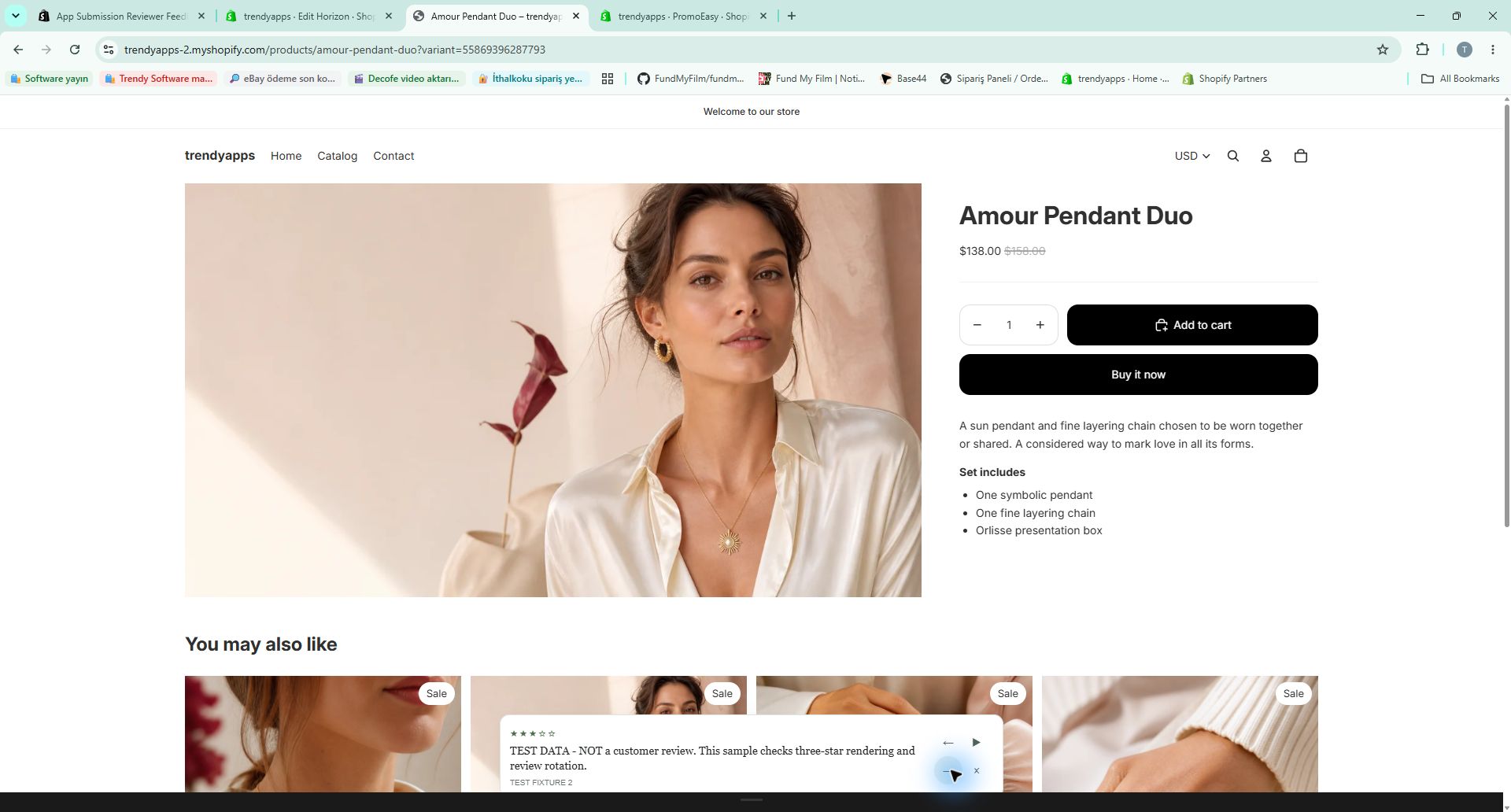
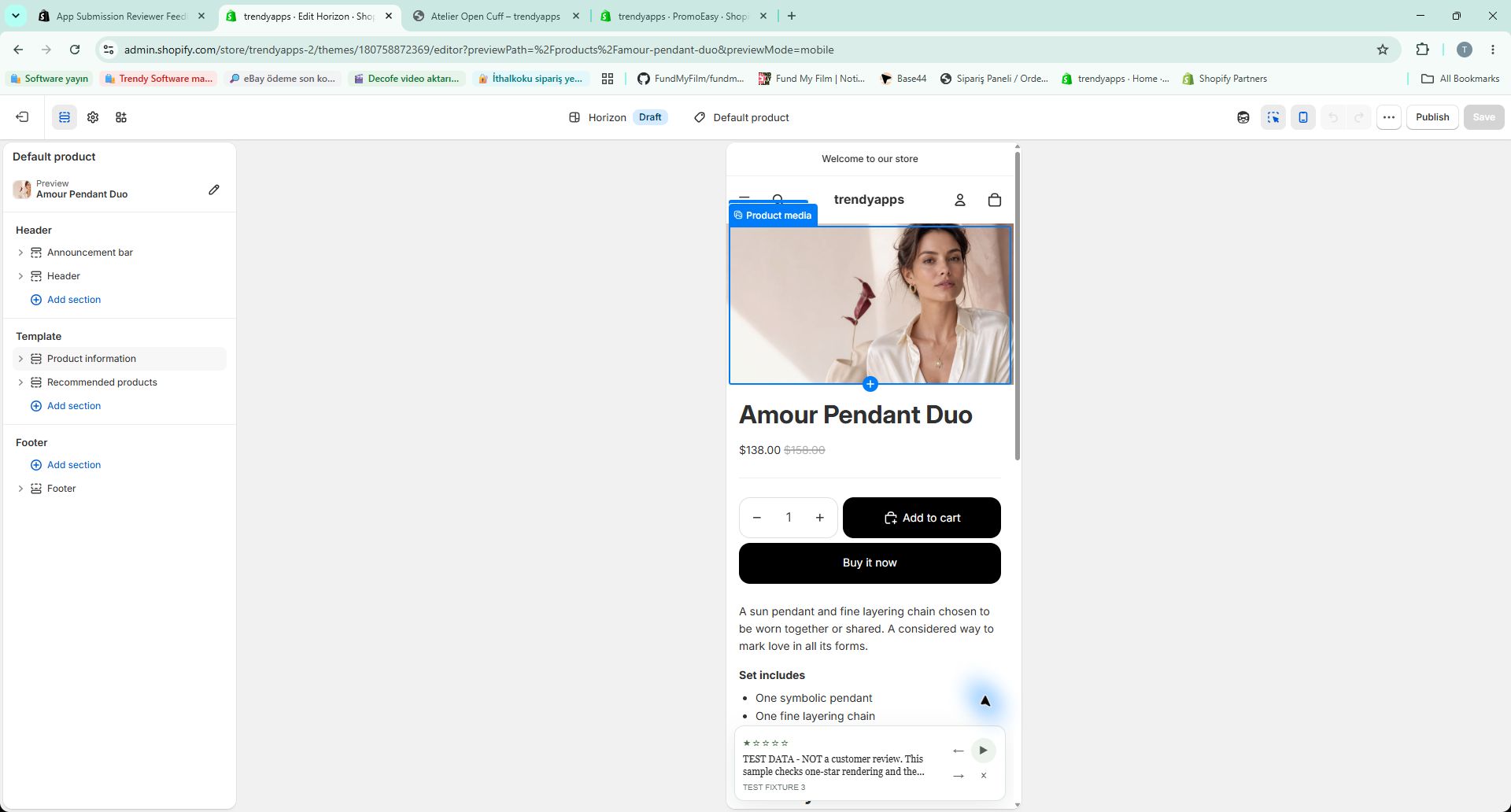
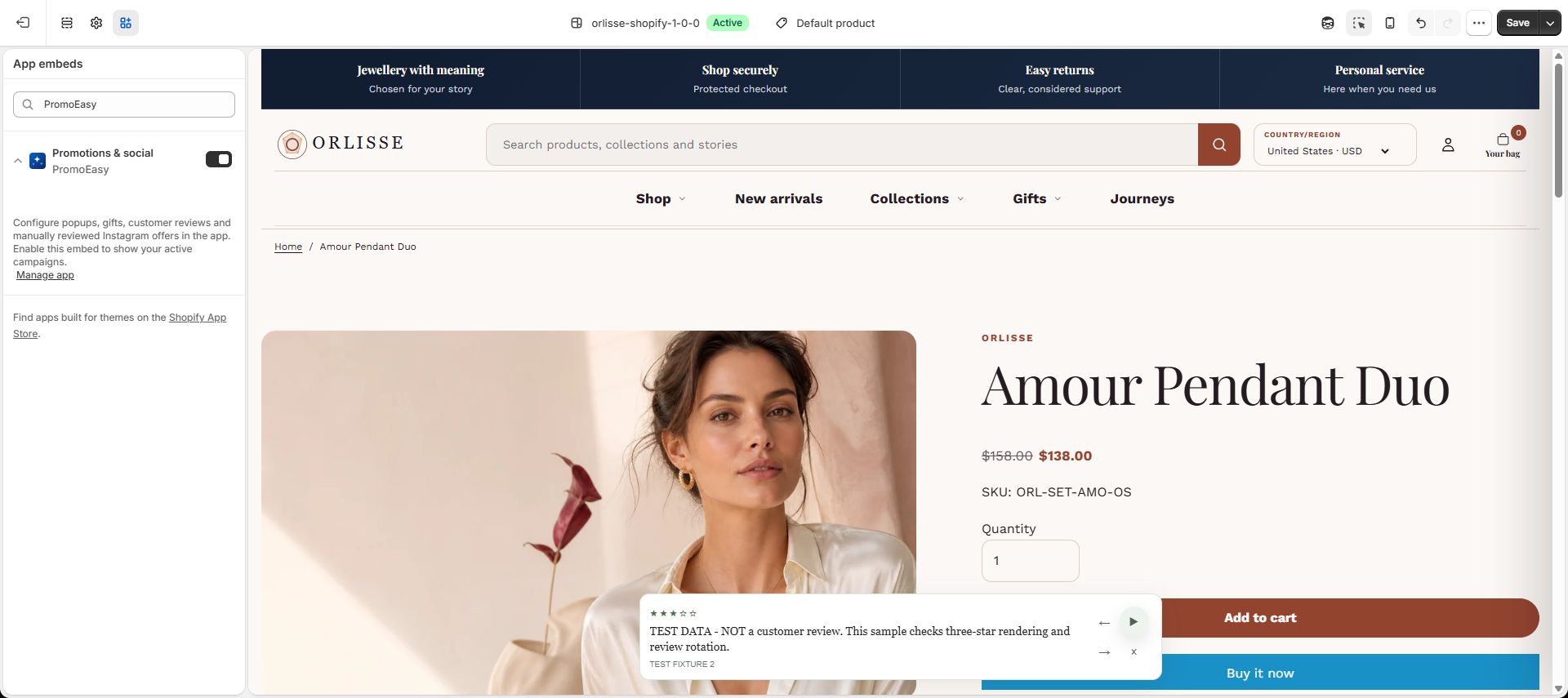
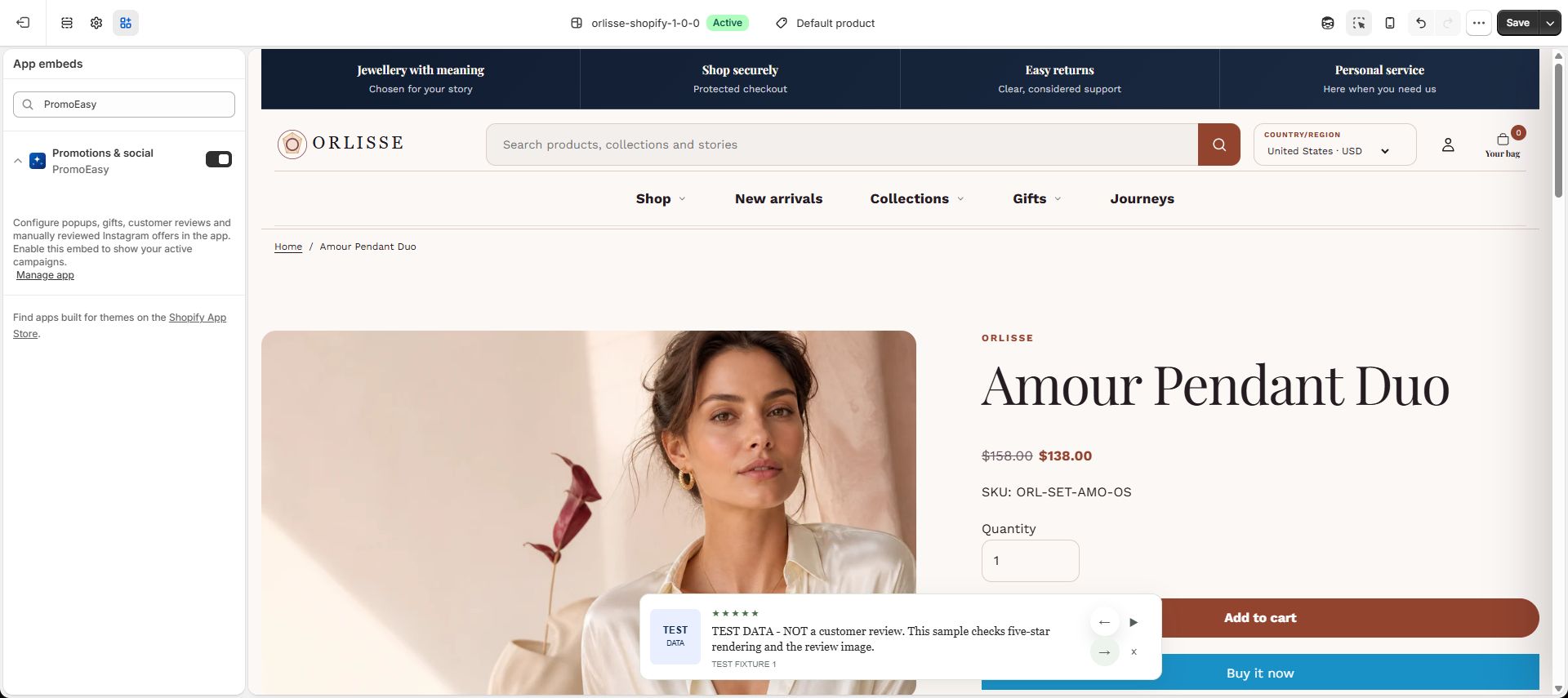
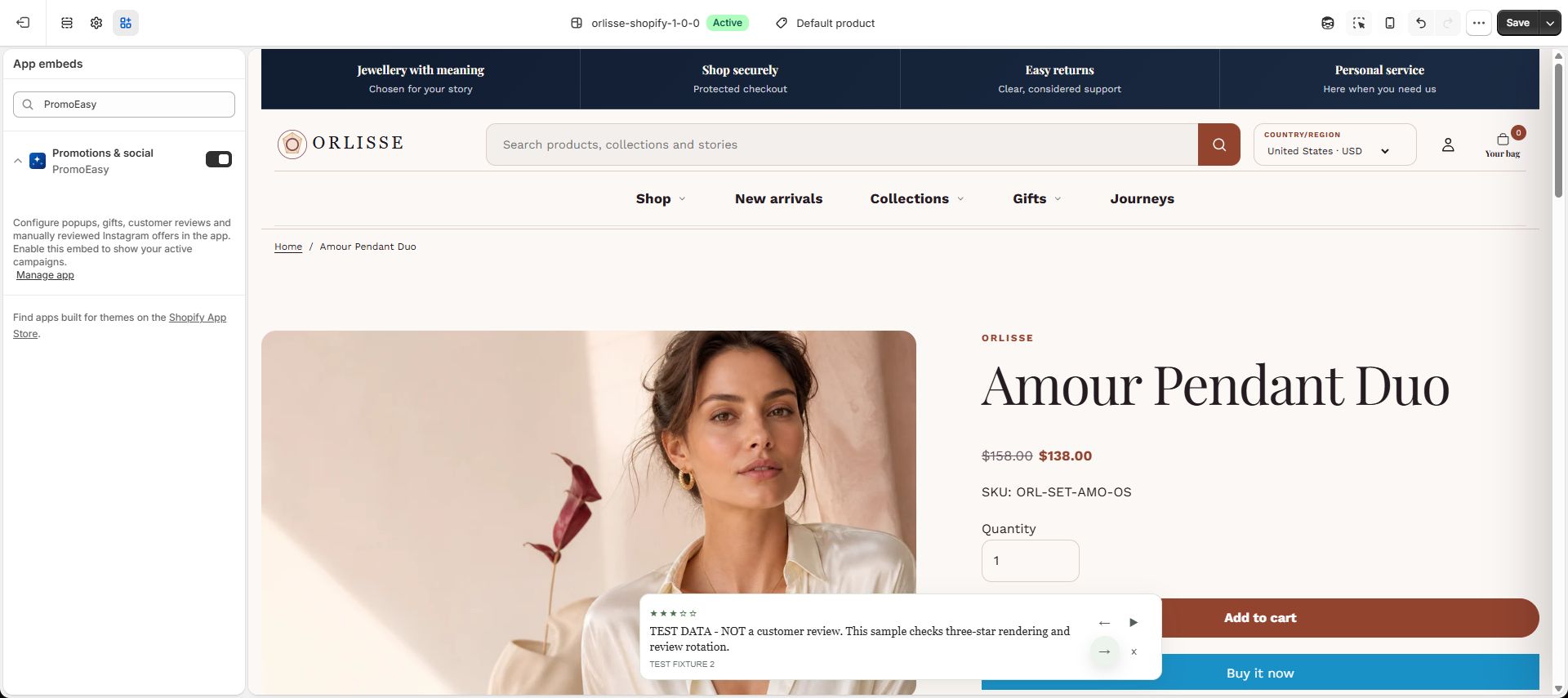
- Open that exact assigned product on the same theme's storefront. The review bar is contextual: it does not display unrelated reviews on the homepage or an unassigned product. Check the image, rating, rotation, pause and previous/next controls. Close the popup first if it overlays the page.
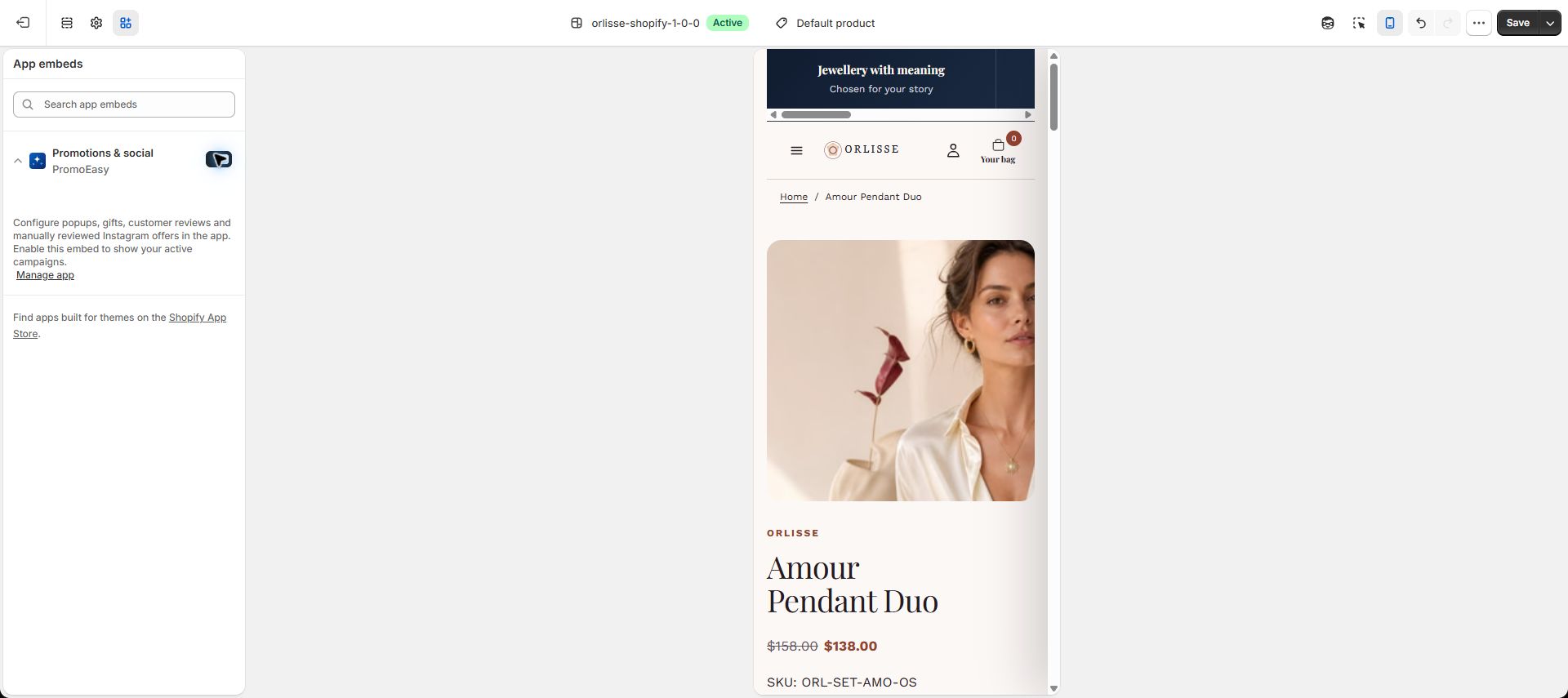
- Repeat at a mobile viewport. After testing, unpublish development-only fixtures and disable test campaigns. Never use the labelled fixtures as real customer testimonials.
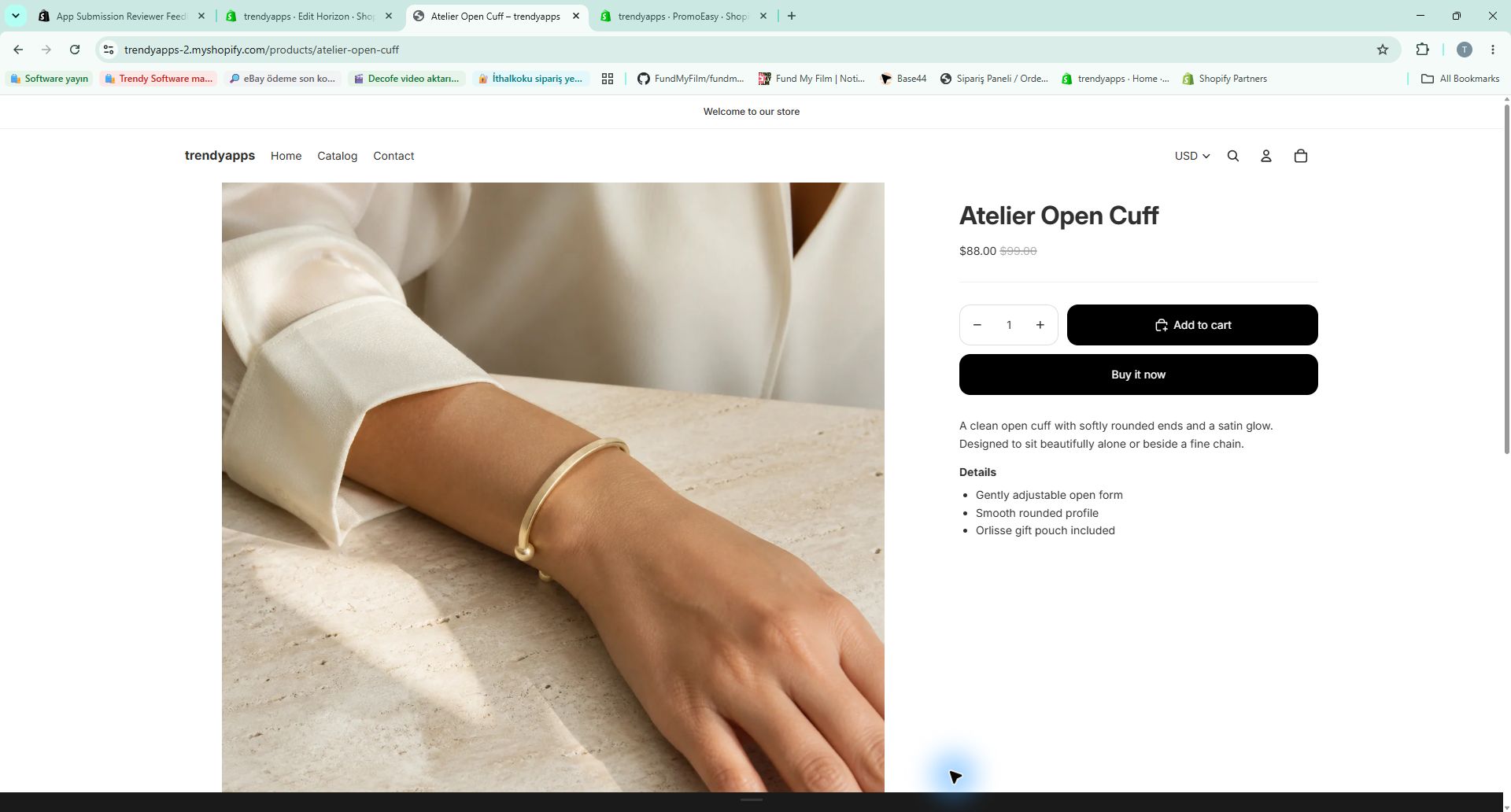
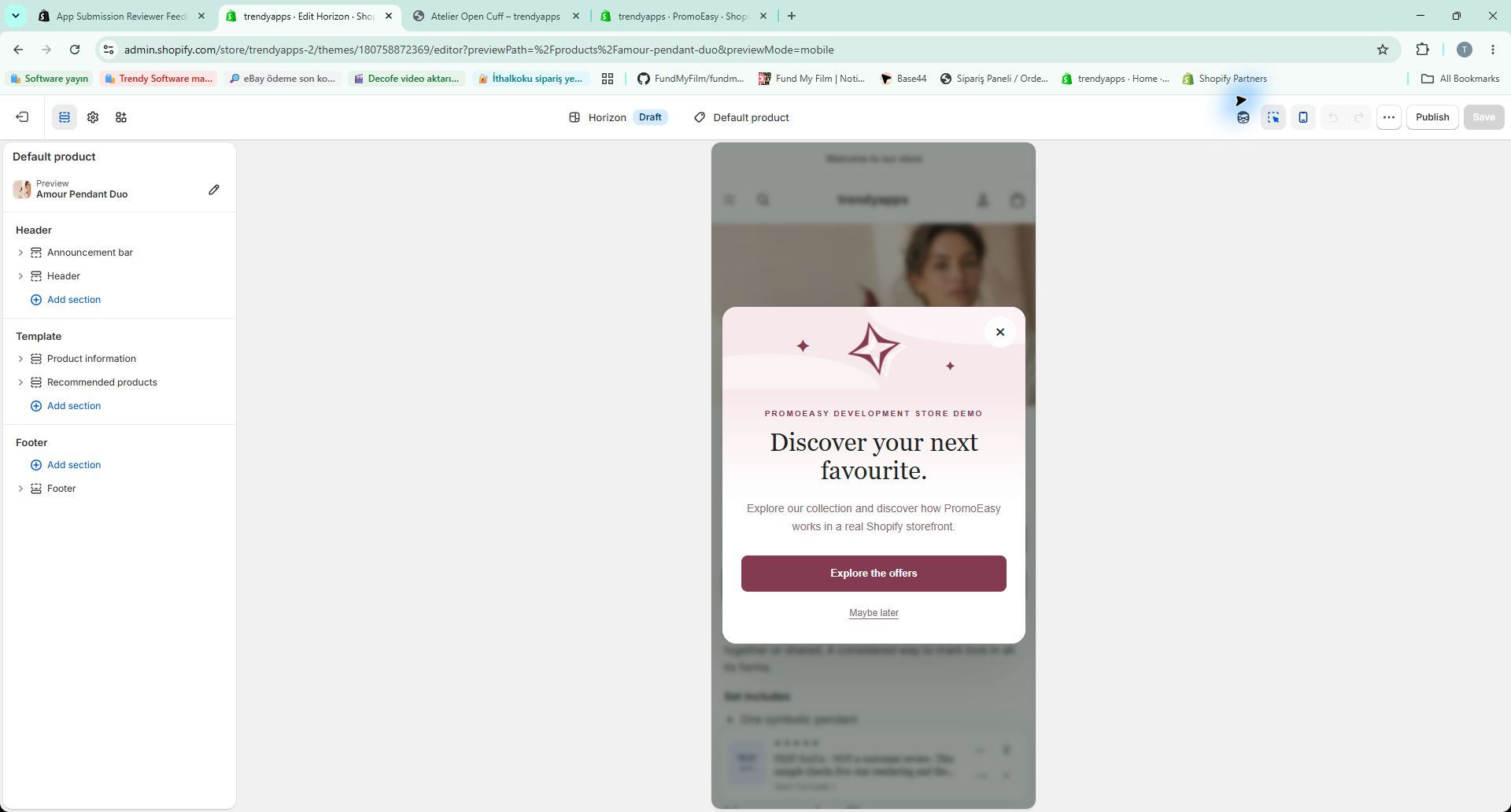
Actual theme verification: Horizon 2.1.6, unpublished draft in our password-protected development store. The popup was closed in the editor and then appeared in the separate storefront preview. The assigned Amour Pendant Duo product displayed the image, ratings and controls; Atelier Open Cuff (without assigned reviews) displayed no review bar. Desktop rotation, pause and next controls were exercised. Both popup and review bar also rendered in Shopify's mobile theme preview. The live theme was not replaced. These are actual Shopify theme captures, not mockups.
Automated regression coverage: 85 unit tests and 31 storefront browser tests passed, including editor/storefront frequency separation, deferred visibility, popup path rules, matching-product reviews and mobile layout. TypeScript, lint, production build and theme-extension checks passed. This is evidence for the reported issue, not a claim that every third-party theme has been individually tested or that Shopify has approved the app.
7 October: Horizon desktop and mobile evidence
6 October 2026: populated review CSV for requirement 4.5.4
No external account, password or API key is required. Use your Shopify development review store and the normal Shopify test-plan approval. The installed app now supplies a populated CSV matched to a product in that store.
- Create or use an active product published to the Online Store. In PromoEasy, open Reviews → Import CSV.
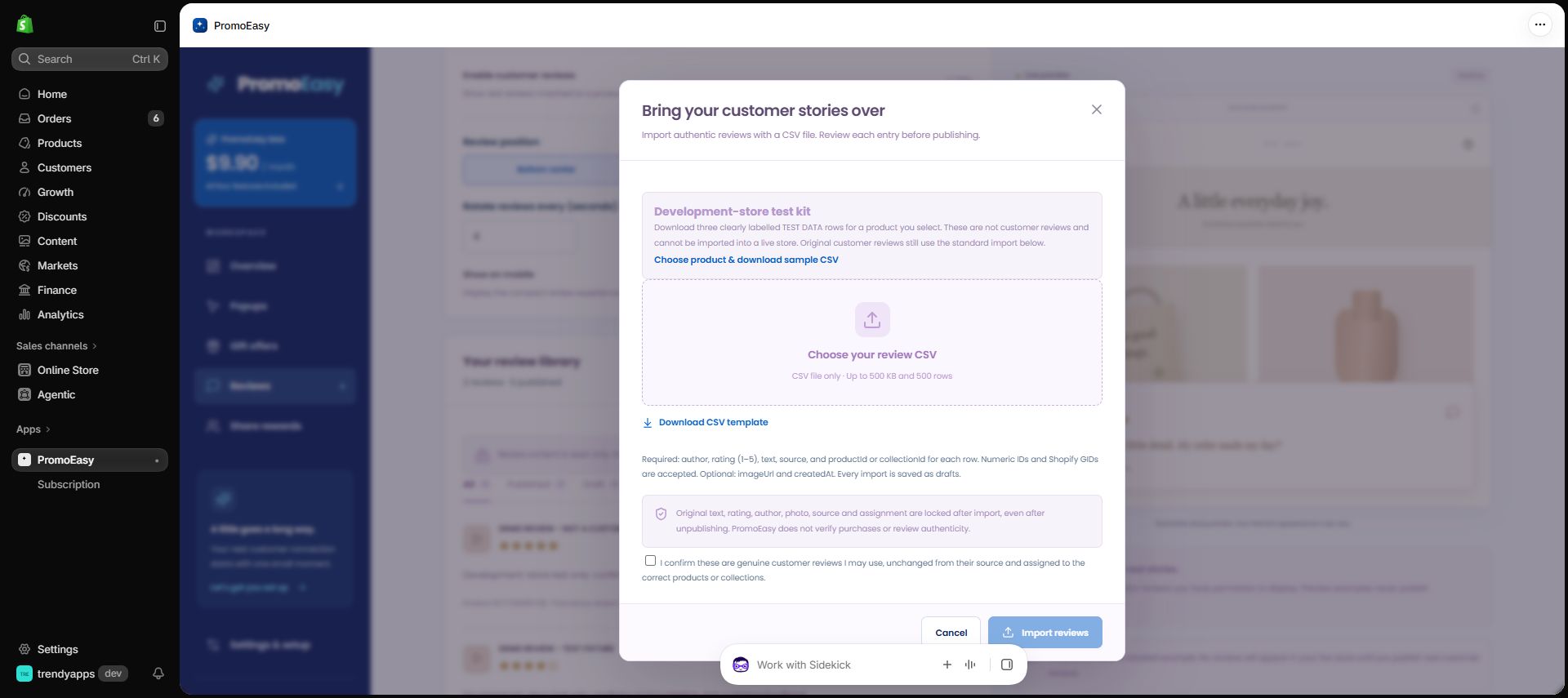
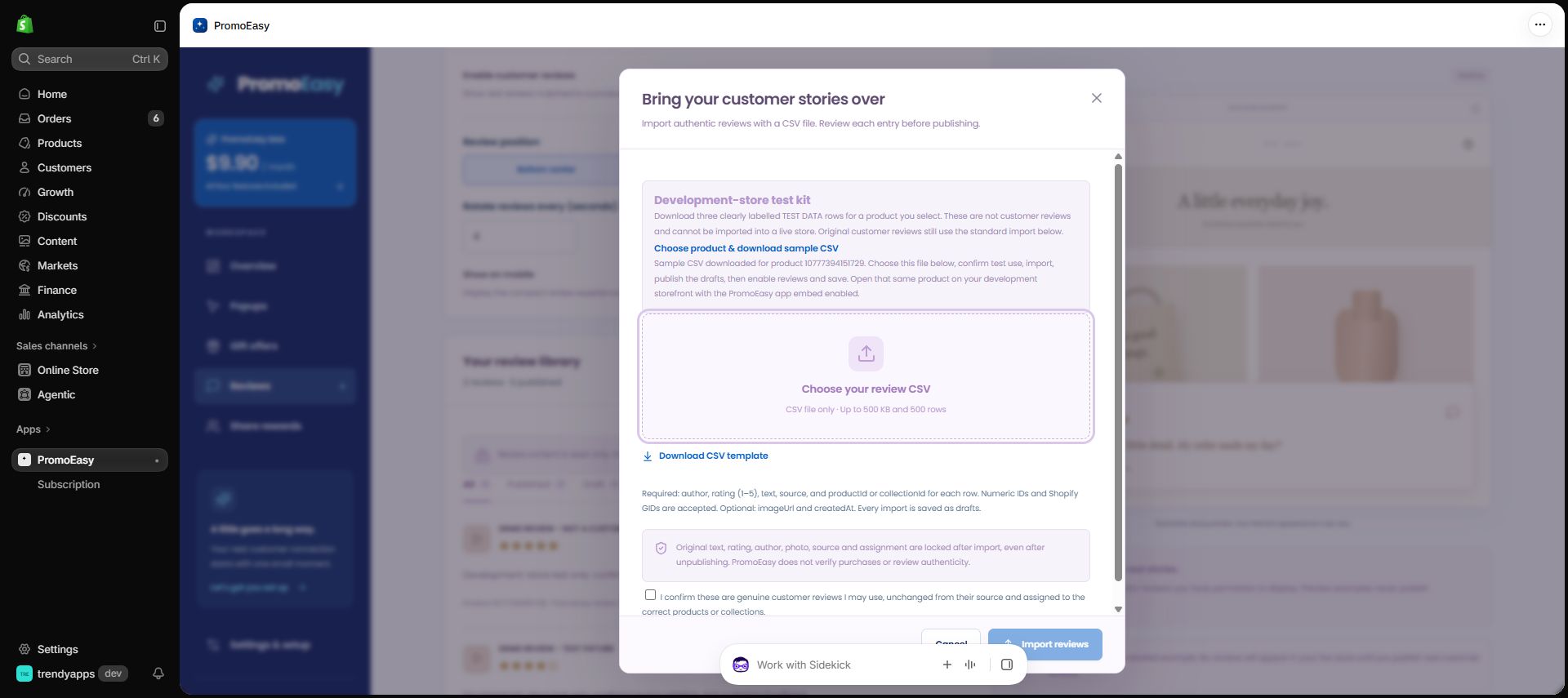
- Under Development-store test kit, click Choose product & download sample CSV. Select that product. The downloaded file contains three fully populated, clearly labelled TEST DATA rows, with ratings 5, 3 and 1, plus a TEST DATA image on the first row. Product assignment is automatic.
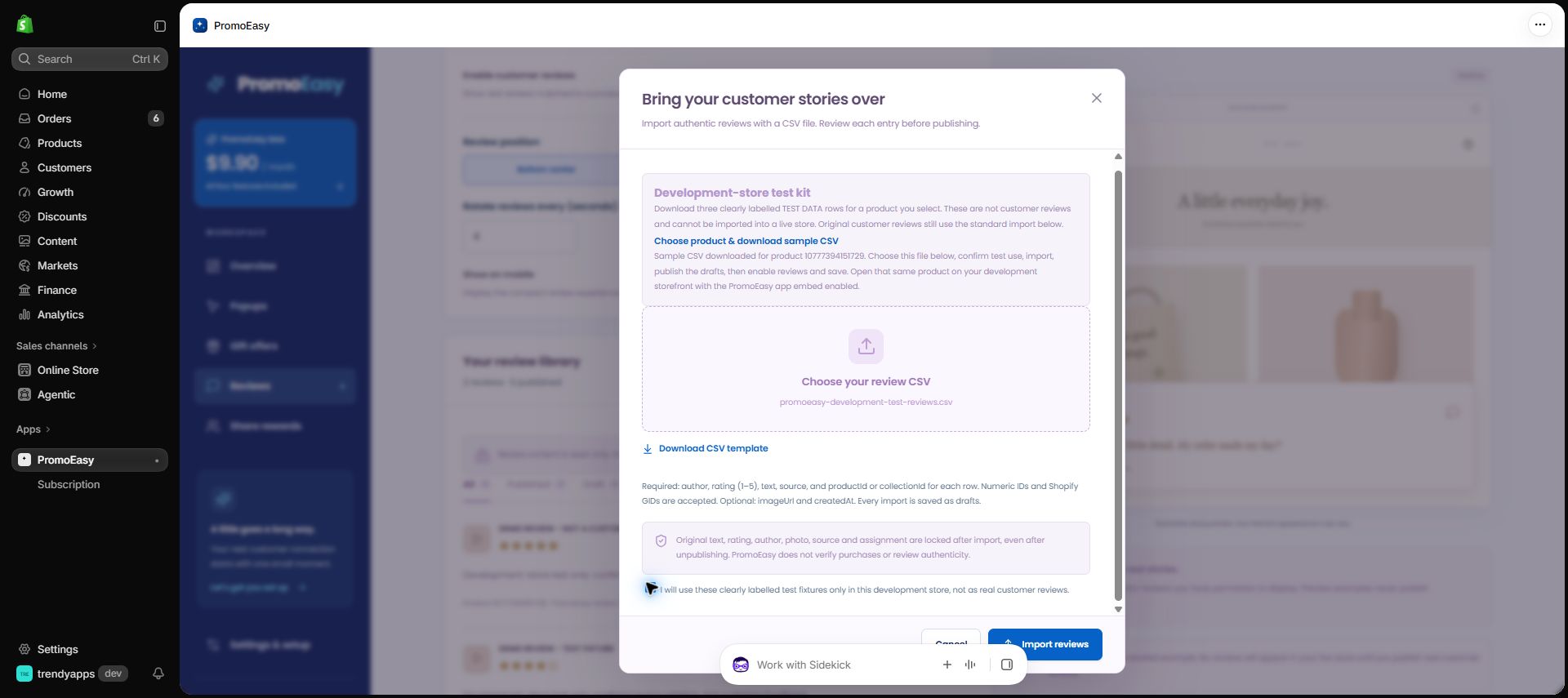
- Choose the downloaded
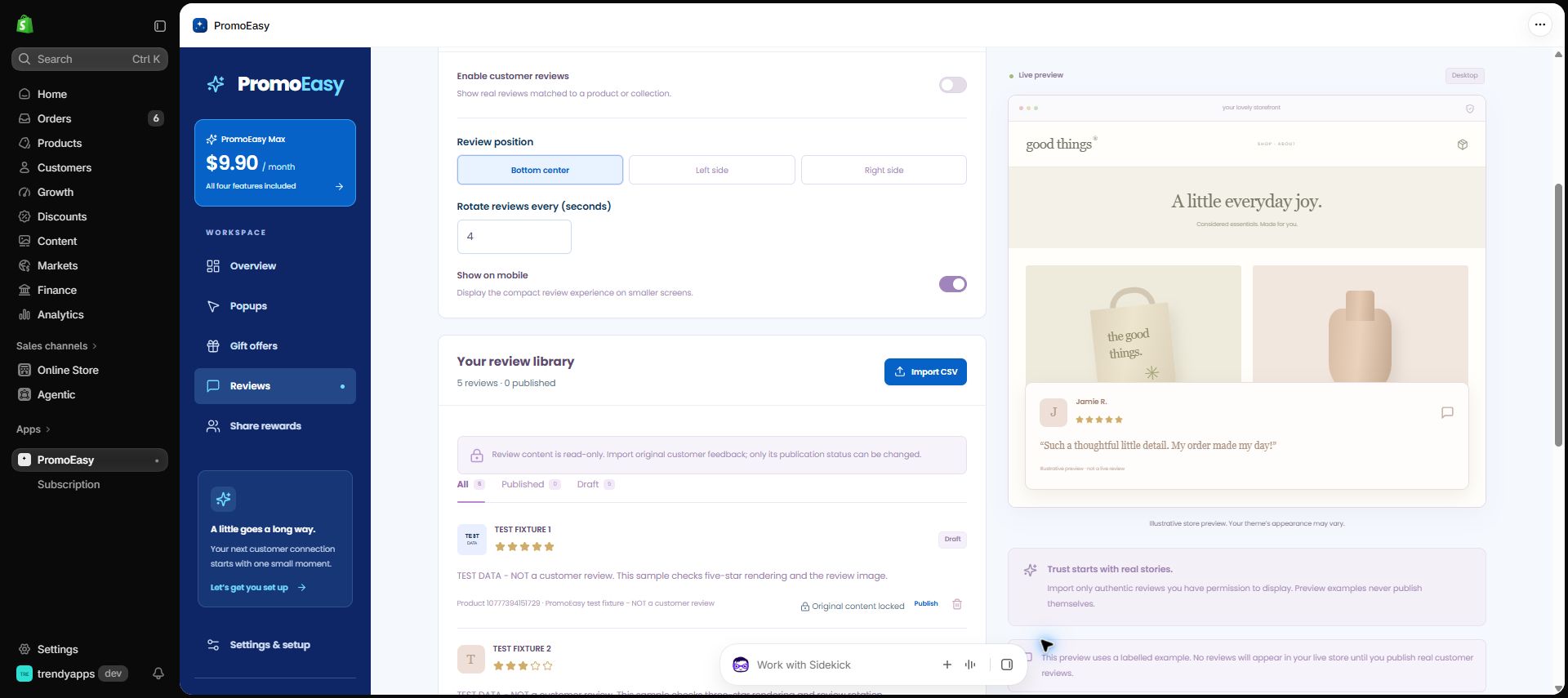
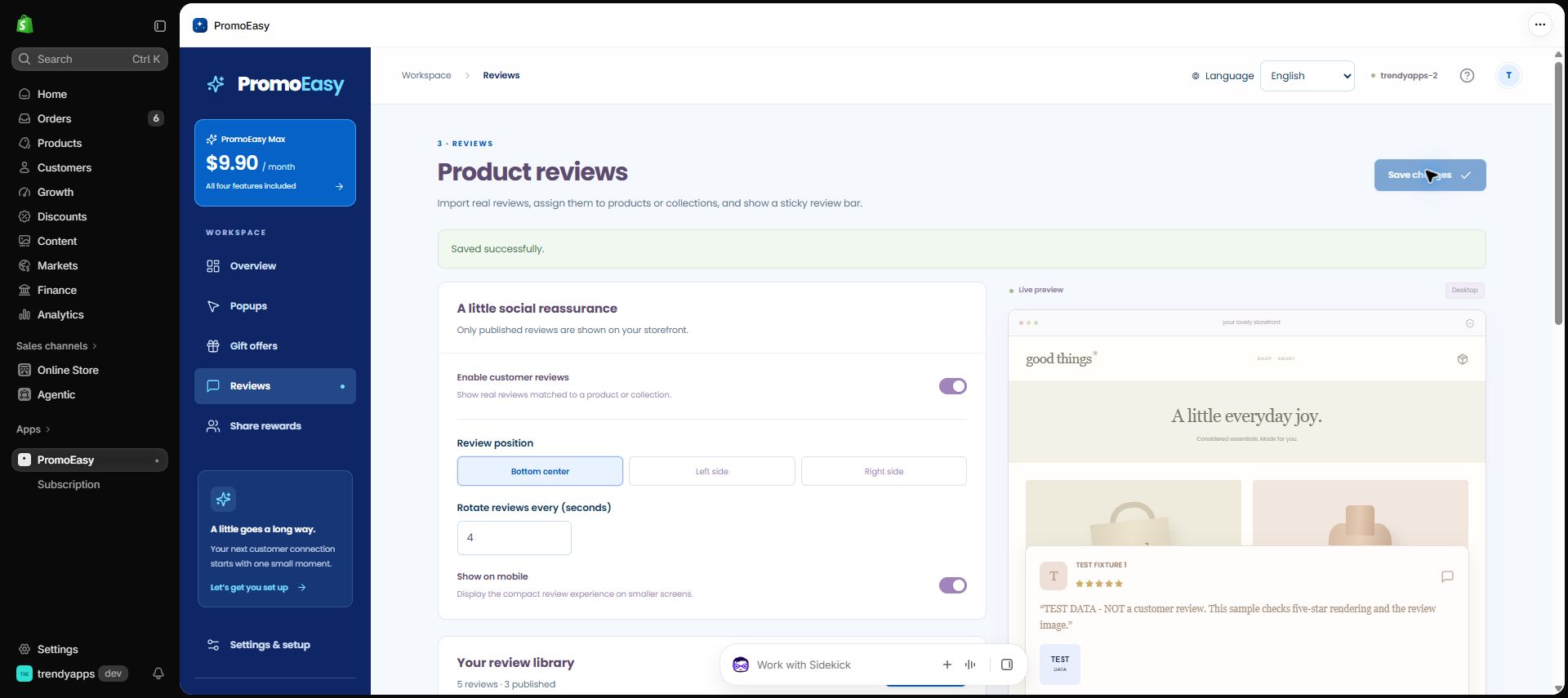
promoeasy-development-test-reviews.csvfile. Check the separate development-only confirmation (not the genuine-customer-review confirmation), then click Import reviews. All three entries start as drafts. - Publish the three TEST FIXTURE entries. Turn on Enable customer reviews, choose Bottom center, and click Save changes.
- In Settings & setup → Open theme editor, enable the PromoEasy app embed and save the theme. Open the exact selected product on that theme's storefront. The widget appears on matching product pages, not the homepage.
- Check the TEST DATA text, stars, image, automatic rotation, pause and next/previous controls. Change the position to Left side or Right side and save. Check mobile display, then unpublish one entry and verify it is no longer served. Original content remains locked throughout.
- After testing, unpublish the three fixtures and disable the review module. These samples are not customer reviews and must never be represented as such.
Download the populated sample CSV directly (example product ID 1001). For this direct file, replace only its productId values with your own development-store product ID before import, or use the in-app download to avoid any manual changes. You can also use /review-sample?productId=YOUR_NUMERIC_PRODUCT_ID.
The server accepts these fixed test rows only when Shopify confirms shop.plan.partnerDevelopment and confirms the product belongs to that store. Live stores cannot import this test kit; storefront delivery also stops serving these samples if a development store becomes live. Genuine reviews retain their original-source confirmation and immutable-content protection.
Verified on 6 October: the downloaded CSV was imported in our installed Shopify development-store app, all three drafts were published, and the actual product page in Shopify's theme preview displayed the TEST DATA image, ratings and navigation controls. Desktop rotation, pause, previous/next and mobile display were checked. All three entries were then unpublished: with the app embed still enabled in preview, no review widget appeared. Finally, the review module was disabled and the temporary theme-preview change was reverted without saving the theme. The sample entries remain drafts; no real review, order or payment was created.
6 October: installed-app import and real theme-preview evidence
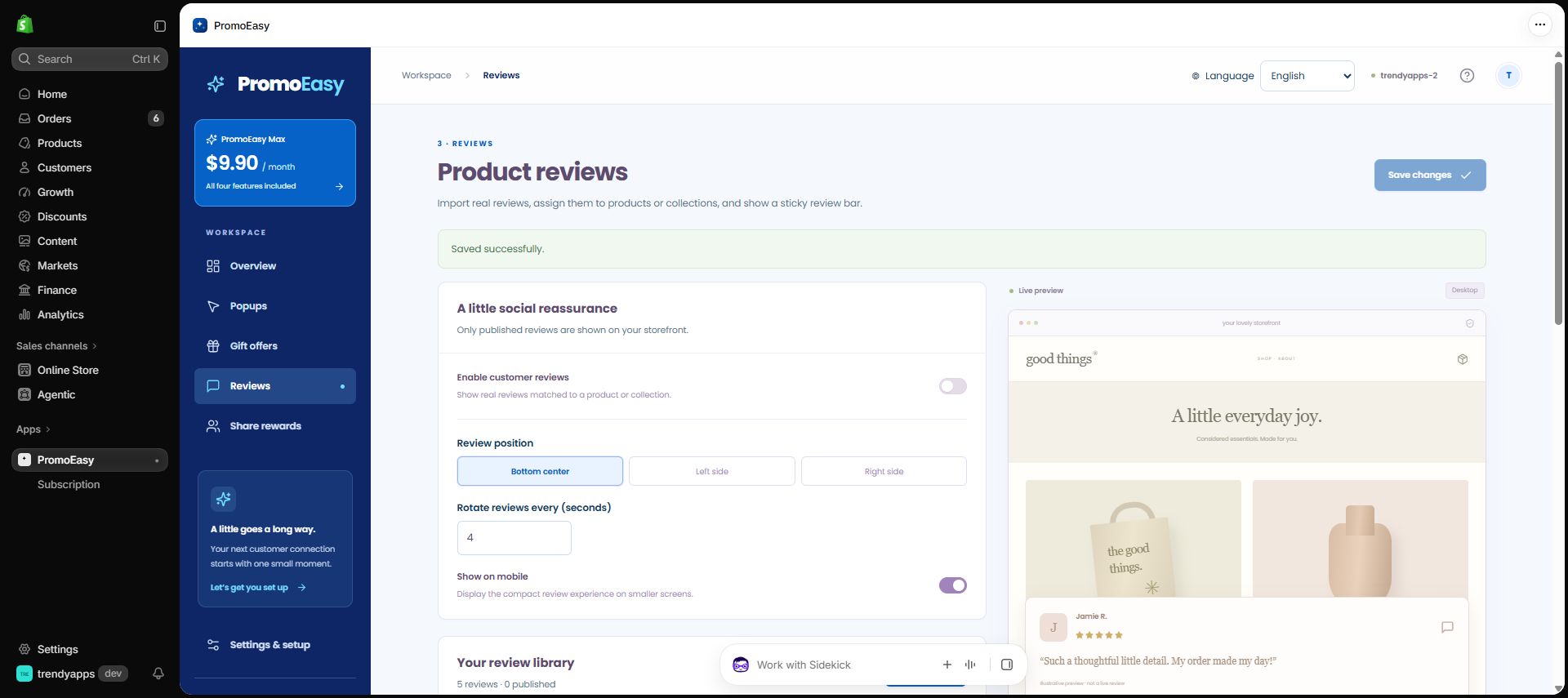
21 September 2026: original reviews are read-only
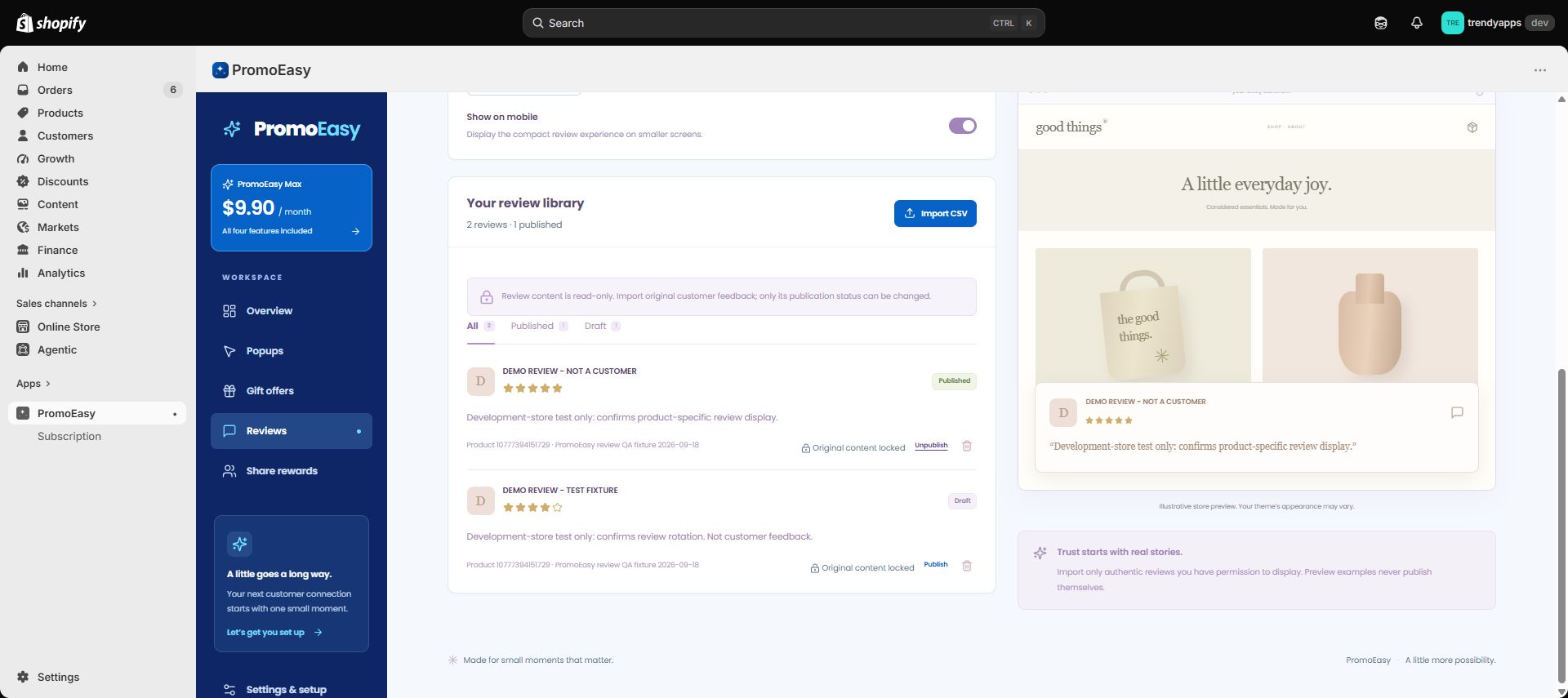
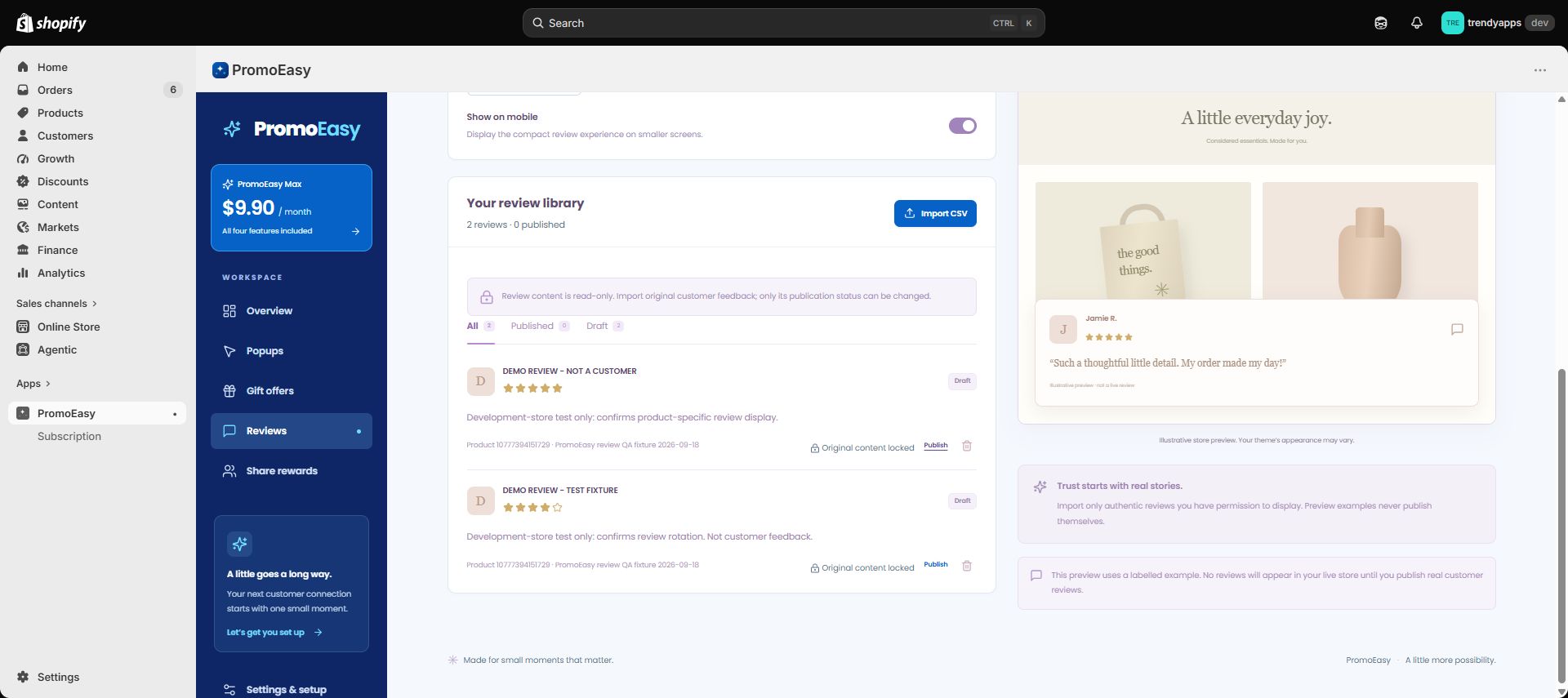
The review editing and manual creation forms have been permanently removed. Import an original CSV file with source attribution and the correct product or collection assignments. Imported reviews start as drafts. Author, rating, text, photo, source, date and assignments cannot be changed, even after unpublishing. The only update is Publish or Unpublish; Delete remains available. The server rejects the old edit request and any extra content fields submitted with a status change.
The walkthrough has been updated: the review-integrity section uses genuine post-action captures of the installed app from 21 September, held briefly for readability. The unchanged setup, popup, gift, storefront review controls and reward workflows were recorded on 18 September and are dated in their captions. The former review Edit and manual-entry screens have been removed from this video. PromoEasy does not verify purchases or independently authenticate imported reviews.
This 4m35s walkthrough shows initial setup and all four features in our password-protected Shopify development store, using the installed app and theme extension—not a sandbox simulation. English explanations are displayed throughout. Test reviews and the Instagram submission are explicitly labelled fixtures. No actual Instagram post, payment or completed order was created.
Open or download the updated walkthrough · English caption file
View the 1.1.4 correction screenshots
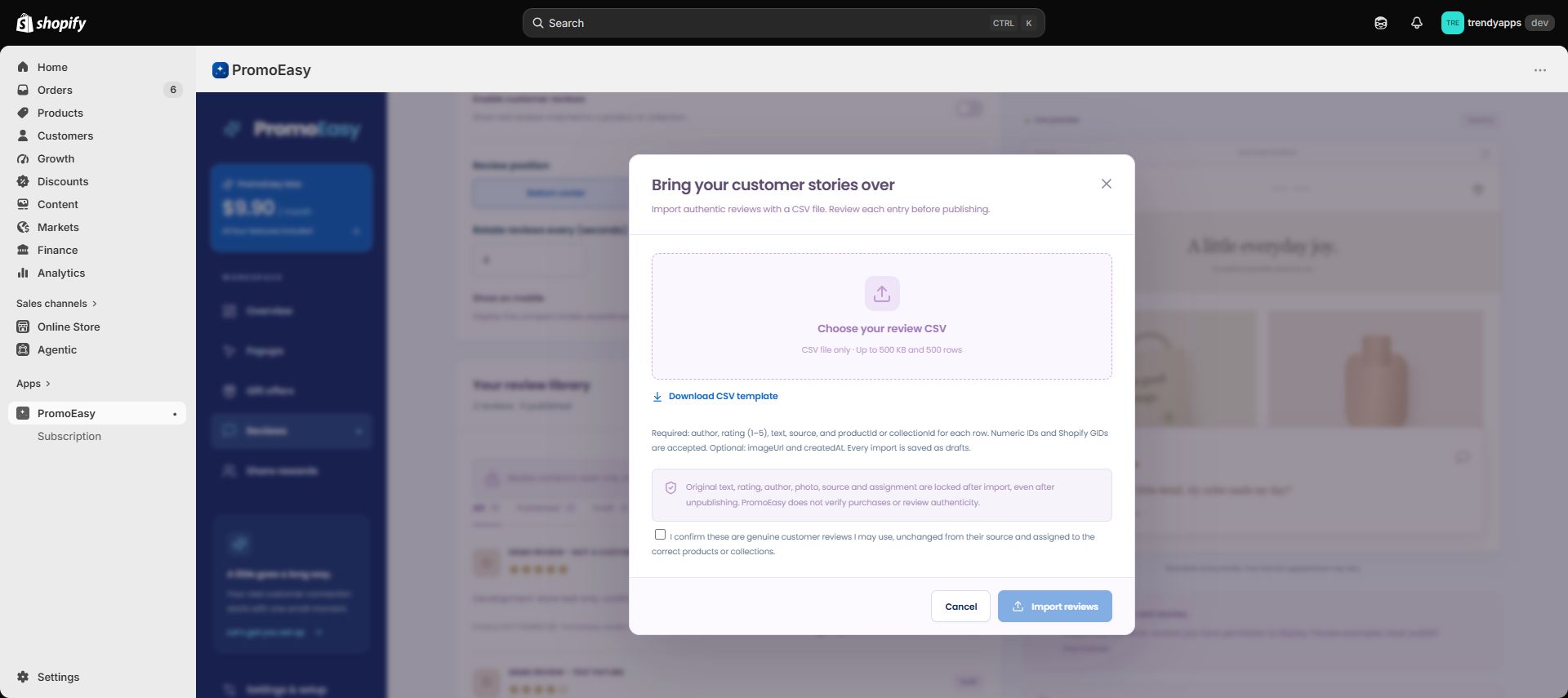
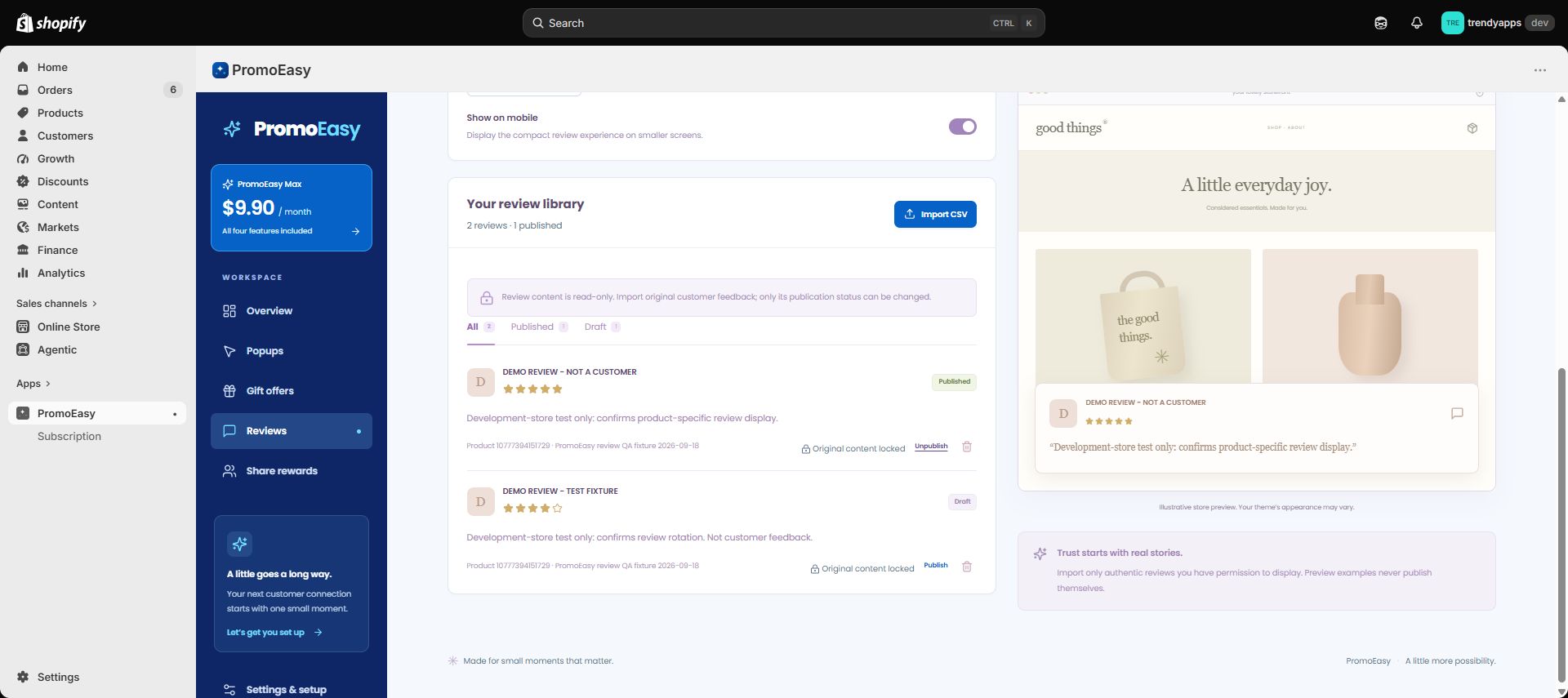
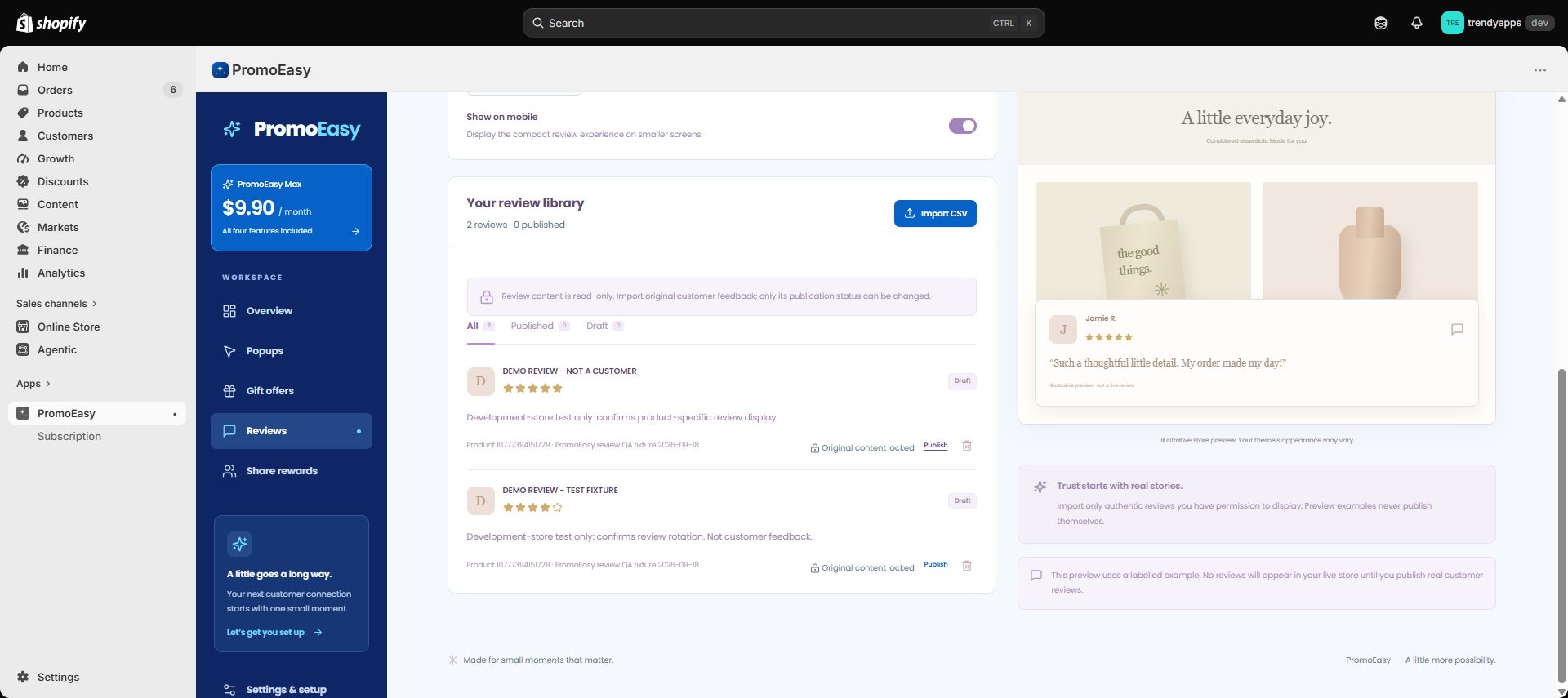
What the recording demonstrates
- Initial setup: open the embedded app, enable its app embed in Shopify’s theme editor and save.
- Popup: configure and save the campaign, view it on the storefront and follow its working collection link.
- Gift offer: select a gift and eligible product, save the native Buy X Get Y discount, add the optional theme block, and add two eligible items. The cart and Shopify checkout show a free gift. Reducing the eligible quantity removes the app-added gift and updates both cart views.
- Reviews: inspect file-only import and source confirmation, then Publish, Unpublish and Republish an existing labelled development fixture. Content stays read-only throughout. The final state restores both fixtures to drafts with the module disabled. The unchanged storefront rotation, pause and navigation controls are shown in the earlier dated segment.
- Instagram reward: configure the offer, submit a labelled development-only request with consent, inspect its pending state, manually approve it in Shopify admin, retrieve the single-use code in the same storefront browser and apply it in Shopify checkout. The 20% code deducts $27.60 from a $138 test item, leaving $110.40. The app does not automatically verify Instagram posts.
Test the installed app end to end
Subscription approval and reinstallation
- On an eligible development store, install PromoEasy and open the Subscription page. Installing the app alone does not approve the Max plan.
- Choose the plan through Shopify. Cancel or decline at the confirmation screen and return to the app: the workspace must remain locked and the subscription must not say active.
- Return to Shopify's plan selection and explicitly approve the test subscription. The app queries Shopify's current active subscription before unlocking the workspace; browser parameters never grant access.
- Uninstall and reinstall PromoEasy within the remaining billing period. If Shopify still returns the active contract, the workspace must unlock without a duplicate approval or charge, including a contract scheduled to cancel at the end of its cycle.
- When Shopify returns no active subscription, or a cancel-at-period-end contract has expired, access is locked and the Shopify plan selection is offered again. The public price remains $9.90 USD/month with no free trial; eligible development-store approvals are no-charge tests.
Four promotion features
- Install from Shopify, open Apps → PromoEasy and select PromoEasy Max through Shopify App Pricing. Development-store test plans are supported. No external login or API key is needed.
- In Settings & setup, open the theme editor. Enable the PromoEasy app embed and save. Add the optional gift-offer app block to a product template.
- Enable a popup, set its message and timing, and save. Open a fresh storefront browser session to test the popup, dismissal and frequency controls.
- For gifts, select eligible products or a collection, quantity two, and a different in-stock gift variant. Save the enabled offer to create Shopify’s native Buy X Get Y discount. Add two eligible items to the cart and confirm the app-added gift is free. Remove an eligible item and confirm the app-added gift is removed. Test the final checkout total and shipping; never complete an order containing an unexpected charge.
- Import an original CSV file containing reviews you have permission to use, with source and correct productId or collectionId. Confirm the original-source statement. Imports start as drafts and content is read-only. Publish a review and enable the sticky bar; inspect the matching product page. Unpublish and republish it: the original text, author, rating, photo, source and assignment must remain unchanged and no Edit or Add review control should appear. Label all development-only samples clearly; do not publish them on a live customer storefront.
- Enable Instagram rewards, submit a post/reel/story URL and handle with consent in the product-page drawer, then inspect and approve or reject the request in the app. Return to the same browser and select Check request status to retrieve an approved single-use code. Apply that code at Shopify checkout and verify the configured percentage. Approval is manual; no automatic Instagram verification is claimed. Gift and share discounts do not combine. On a development store, use a clearly labelled fixture solely to test this workflow; do not present it as a verified real social post.
- Switch between the ten interface languages. Custom campaign copy and imported reviews remain exactly as the merchant wrote them.
Our own team helps with every PromoEasy feature and provides app installation and setup assistance within 24 hours: info@webtorn.com.